First, we have a button. Clicking it will display a pop-up.
<button id="modal-btn">Open Modal</button>
Create content for popup
<div id="modal-content">
    <div class="modal-inner-content">
        <h2>Modal Title</h2>
        <p>Modal content.....</p>
    </div>
</div>
Use Magento 2 modal widget
We now need to require both jQuery and jQuery UI. To do this, within your JS script, add the following code:
<script>
    require(
        [
            'jquery',
            'Magento_Ui/js/modal/modal'
        ],
        function($, modal) {
            // our JS
        }
    );
</script>
Set options for the modal widget
var options = {
    	type: 'popup',
    	responsive: true,
      innerScroll: true,
    	title: 'Pop-up title',
      buttons: [{
         text: $.mage.__('Close'),
         class: 'modal-close',
         click: function (){
             this.closeModal();
         }
    	}]
};
Initialize modal widget
modal(options, $('#modal-content'));
Creating an event when clicking the button will display a popup:
$("#modal-btn").on('click',function(){
    $("#modal-content").modal("openModal");
});
Finish
When all of the above steps are done, your script should look like this:
<script>
    require(
        [
            'jquery',
            'Magento_Ui/js/modal/modal'
        ],
        function($, modal) {
            var options = {
                type: 'popup',
                responsive: true,
                innerScroll: true,
                title: 'Pop-up title',
                buttons: [{
                    text: $.mage.__('Close'),
                    class: 'modal-close',
                    click: function (){
                        this.closeModal();
                    }
                }]
            };

            modal(options, $('#modal-content'));
            $("#modal-btn").on('click',function(){
                $("#modal-content").modal("openModal");
            });
        }
    );
</script>
Result
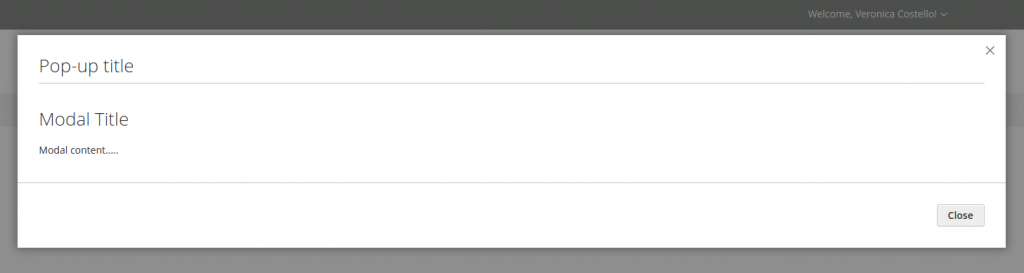
We have a pop-up showed up when the button is clicked: