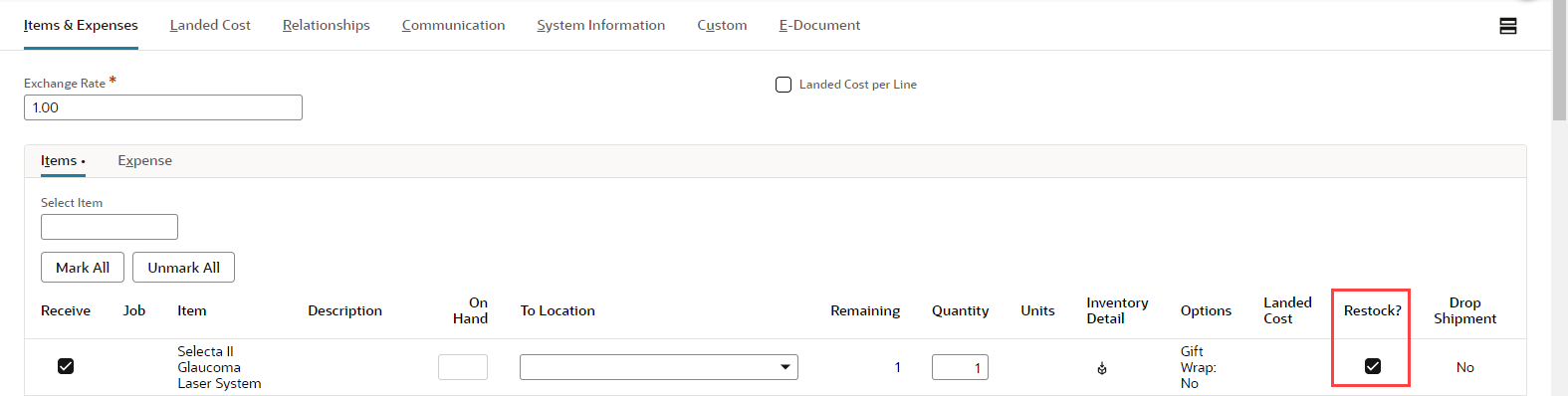
When we use the Advanced Receiving feature and receive inventory items returned by customers, we can choose whether the item is restocked in inventory or written off as an expense.
Items that we receive against return authorizations and restock are added back into our inventory. our inventory reflects the increased count of the returned item and the value of our inventory is also increased. Generally, items are restocked if they are in good condition and can be sold to another customer.
Items that we write off are logged as an expense and the income we lose by not selling the item is posted as a loss. our inventory does not reflect the increased count of the returned item and the value of our inventory is not increased. Items are generally written off when they are in poor condition and cannot be resold to another customer.
When a customer returns an inventory item to you, enter a receipt to track the item. On the receipt form, do one of the following:
- Check the box in the Restock column to indicate that the item should be returned to inventory.
- Clear the box to write the item off as an expense.