The “Attribute_name” attribute value is empty. Set the attribute and try again or The value of attribute “is_new” must be set error may happen when you create a new configurable product or migrating from Magento 1 to Magento 2, or after you import products.
Some sample error message you may see:
- The “Is New” attribute value is empty. Set the attribute and try again
- The value of attribute “is_new” must be set
- The value of attribute price_view must be set in Magento 2
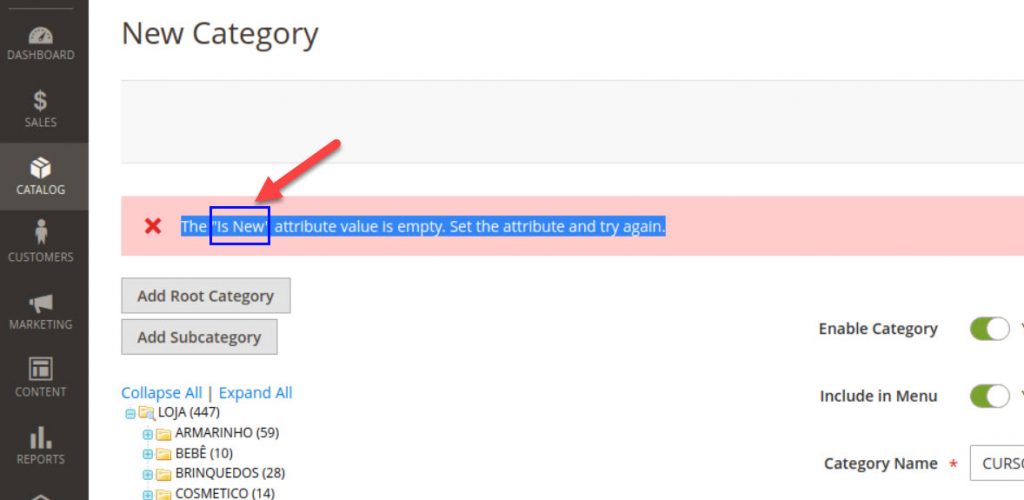
This error happens because the attribute for the product was created in the database but was not assigned properly to your new products.
To solve this issue, we will remove the broken attribute directly from Magento 2 database.
Follow these steps:
Step 1: Use a database managing tool to edit your database
username and password (in case you forget, go to app/etc/env.php and find line 24, 25, 26 to retrieve db info)
Open database to modify and see the env.php file
Step 2: Edit database and find the broken attribute
On the right side, look for the database of your Magento 2 store and click to see all tables in the database.
Step 3: Change value of the broken attribute
Click on edit and scroll down, find is_required and default_value.
Click on edit and scroll down, find is_required and default_value
is required and default value
Next, change “is required” to: 0
Uncheck default_value (null column) and also, input 0 in value column
make change to valueFnally, click on Go button in phpmyadmin page to update changes