A section is there in PDP page to request a new product. This feature is enabled only for logged in customers.
We utilize a custom record to store the details provided by the logged-in customer, including:
- Product Name
Within the custom record, the information provided by the customer is stored. Additionally, appended the customer’s email ID to the custom record created for the new request. Once the request is submitted, an email notification is sent to the client.
similarly we need to send a return email to customer when the requested product is add to the webstore.
Fo that we have add a checkbox and a field to capture information about the newly added or related product in the custom record.
This will be managed by Admin. The admin or representative can mark the checkbox to notify the user about the newly added item.
When this checkbox is selected, a new email is sent to the customer using the email stored in the record, informing them about the new product.
We have added new fields , they are added below:
- Send email – checkbox which is used to send email , when we enable the checkbox and save an email will send to the requested customer
- New Product detail – Which used to include the newly added product information , here we can add the neccessary informations about item
- New Produc added – It is a list of items that will help to selectthe newly added item from the list
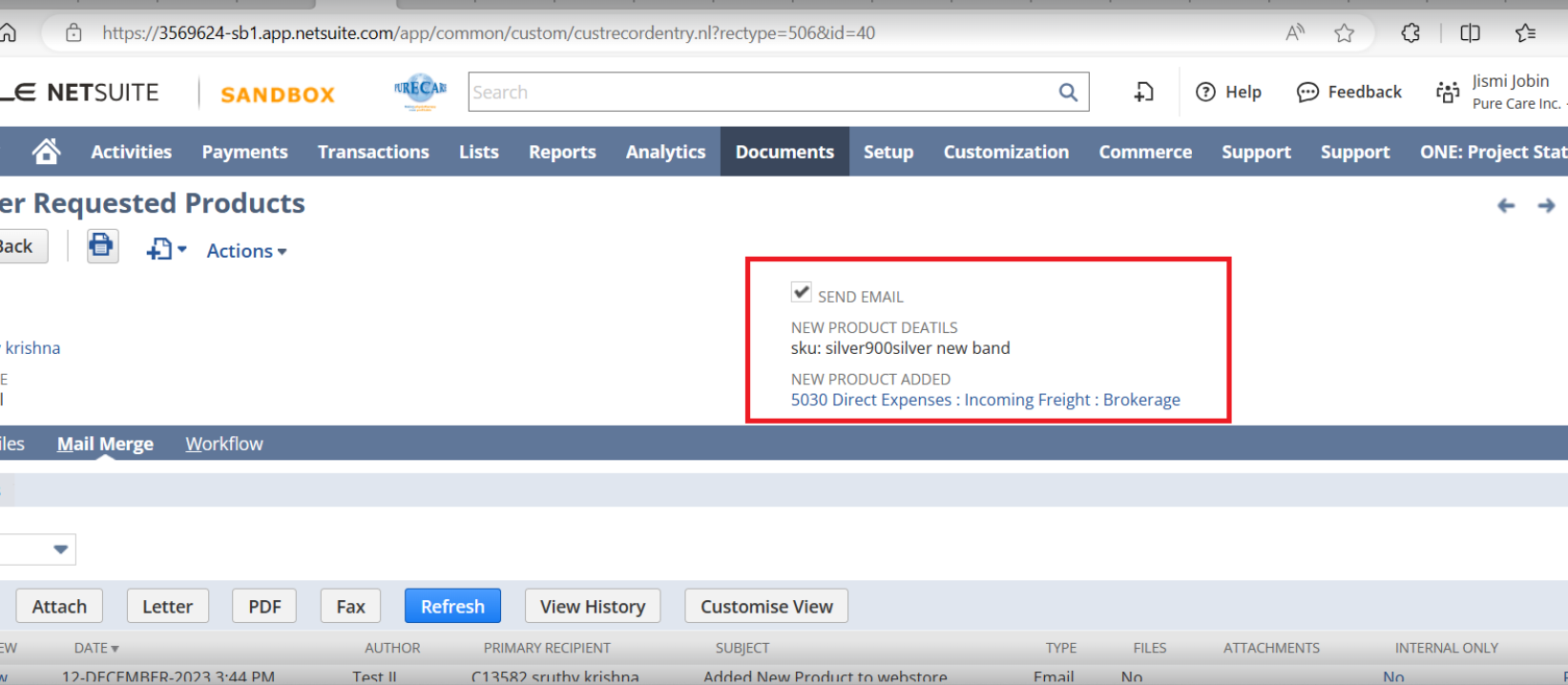 When the administrator enable the send email button it will send the email with the details in the new product information fields. the email will send only once, when the first time admin click the send email button.
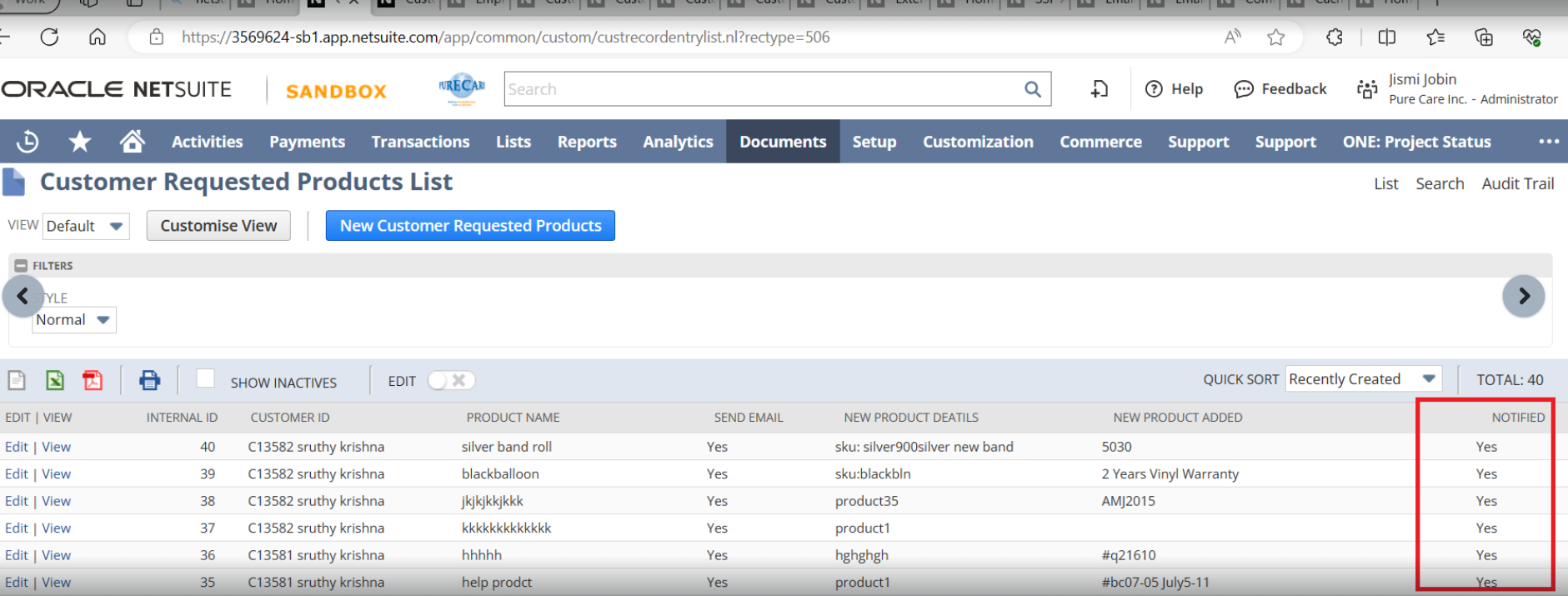
For that we have also added a field named “Notified“, if the email send to customer once, the field will become true.
We have performed all this functionality with the help of the workflow:
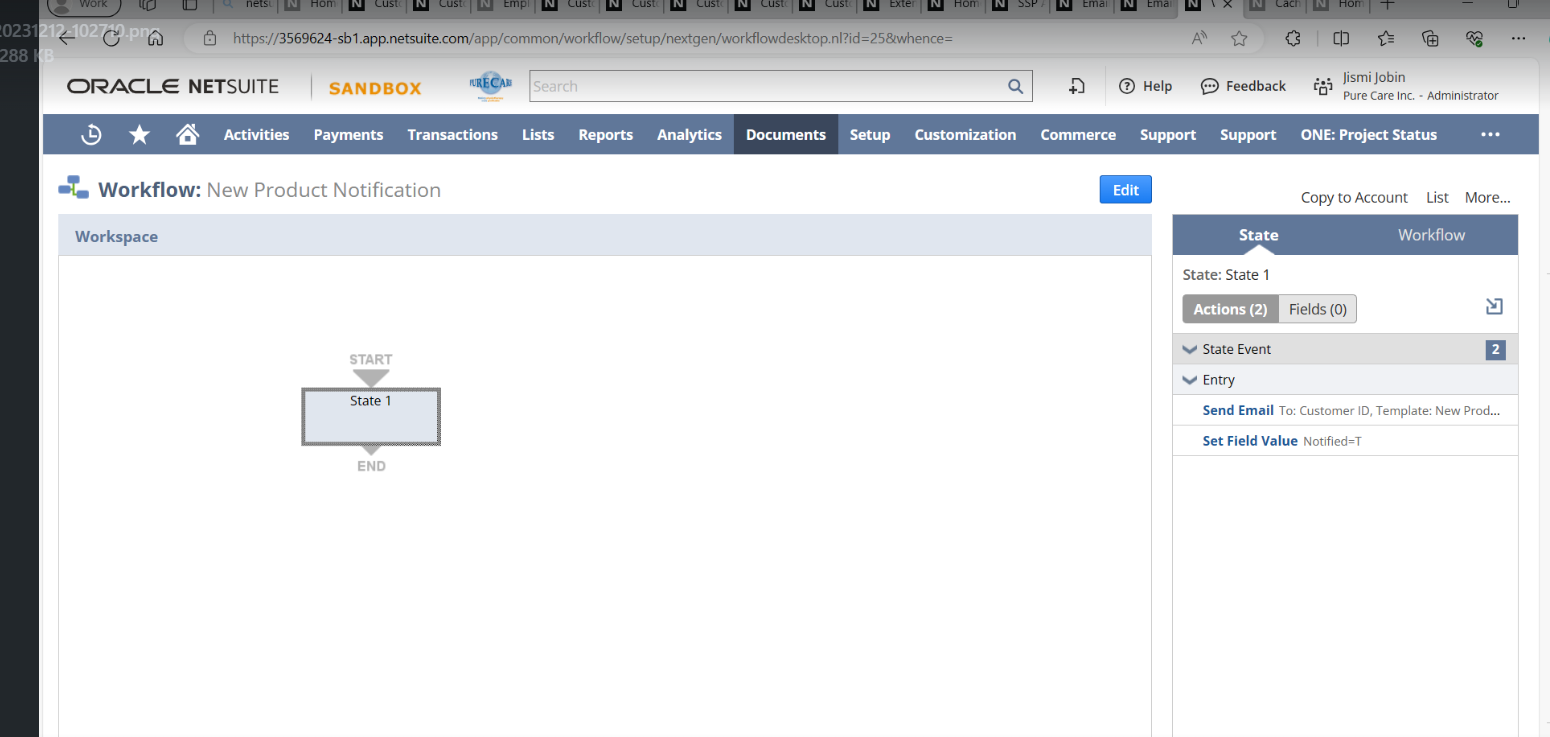 We have created a workflow and that will triger on the update and view event , we have added toaction one to send email to the customer when the sendemail field is enabled. Then second action is added to limit the use of the send email button and avoid the multiple email to the cutomer by enabling the notified checbox after sending email first time . if the notified checkbox is enabled then we cant send any more email from that request.
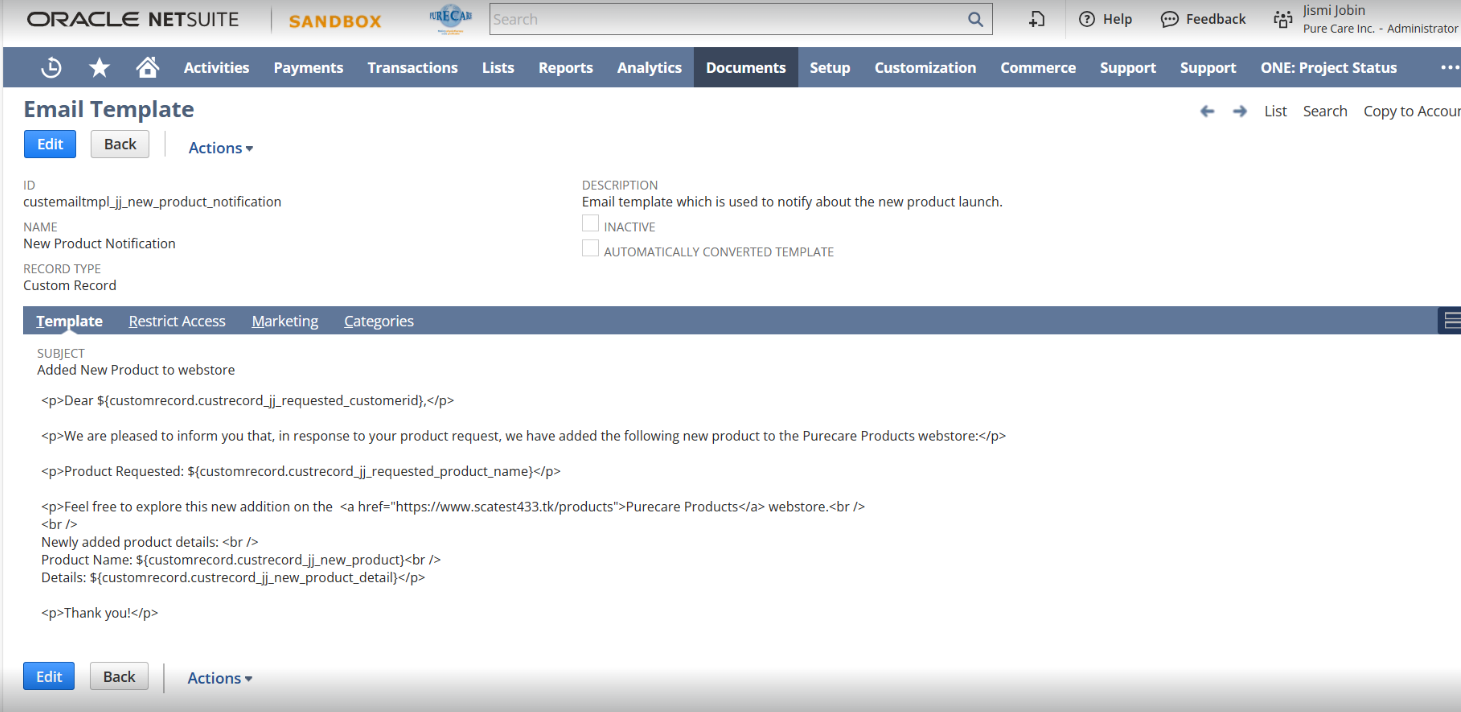
A new email template is created with the new prodcut details from the product request list.
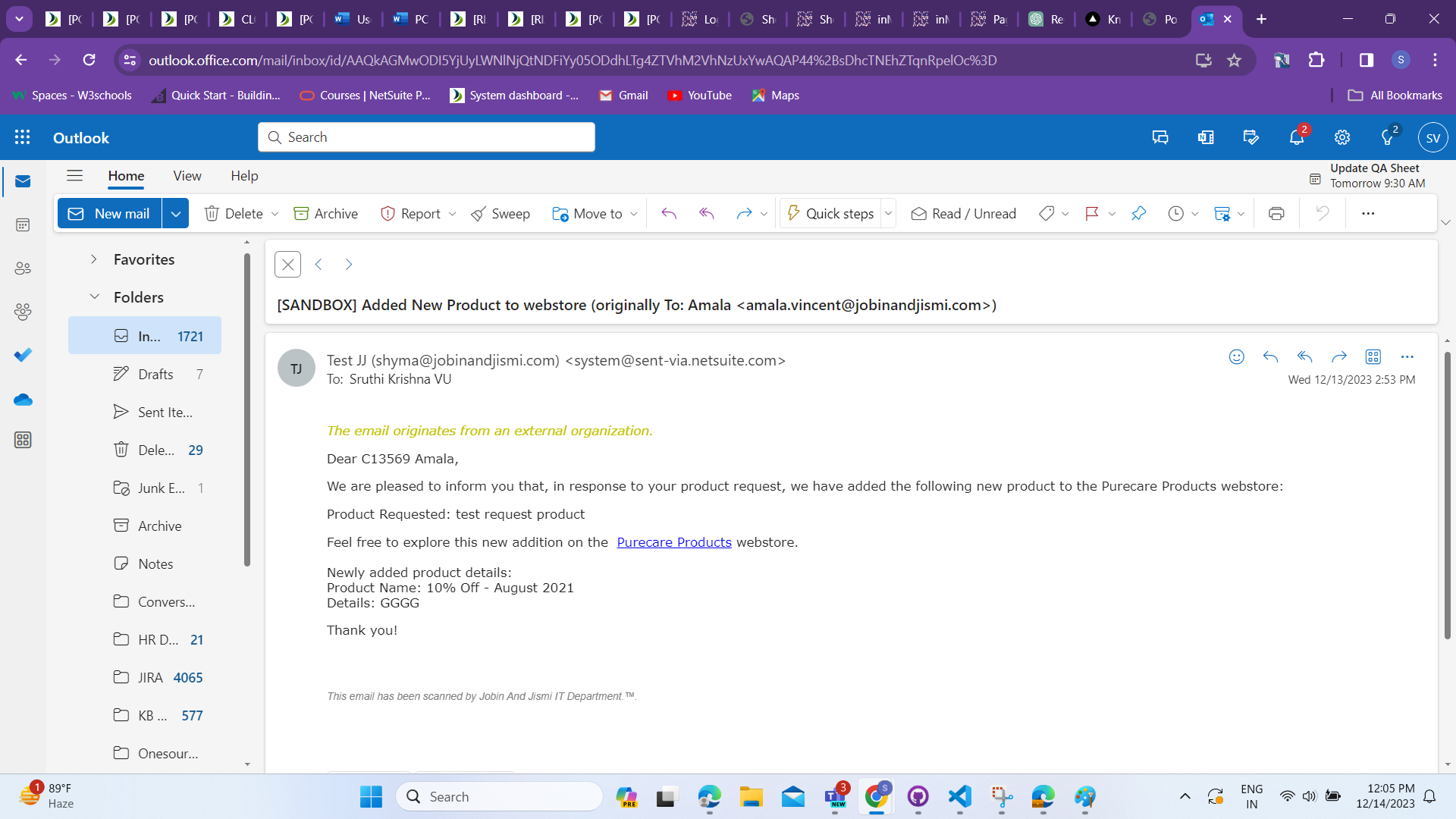
Email obtained: