Update the review section of LHS of the PLP page of the pure care website as per the given design.
In review section the list added in the menu will be based on the value in the item record product review field. As many values in the field that much list will be added in the section. Here we need only four list and whatever be the review it should be properly come under appropriate category.
Steps to update review from netsuite:
Website review form:
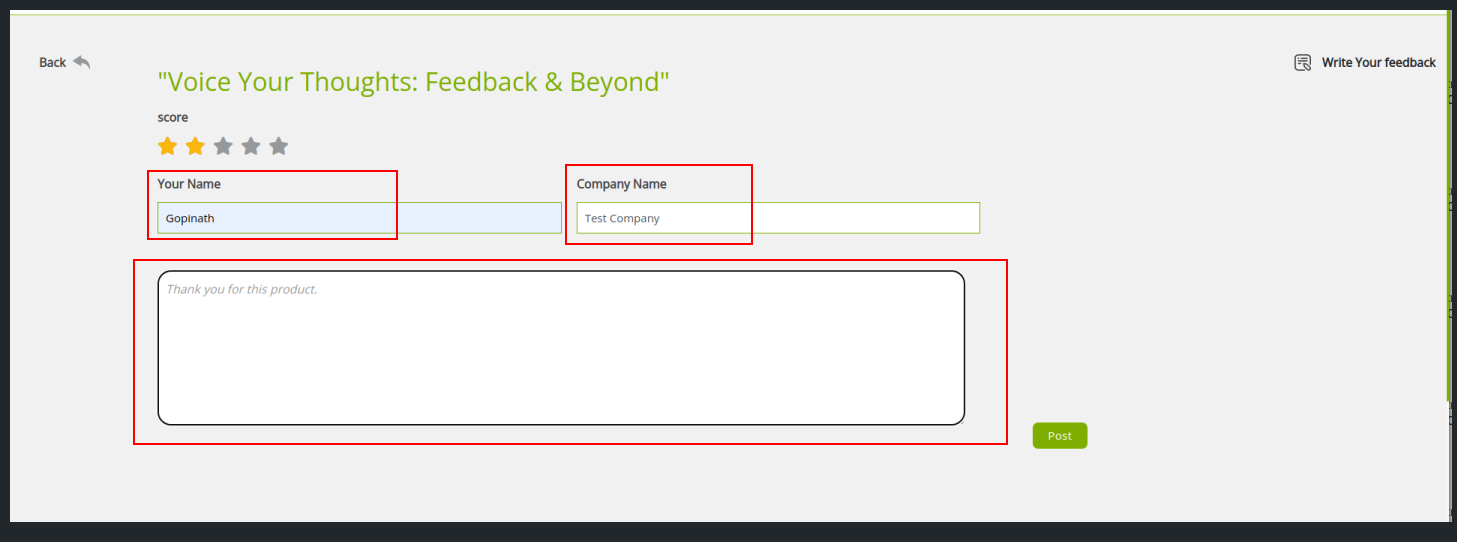
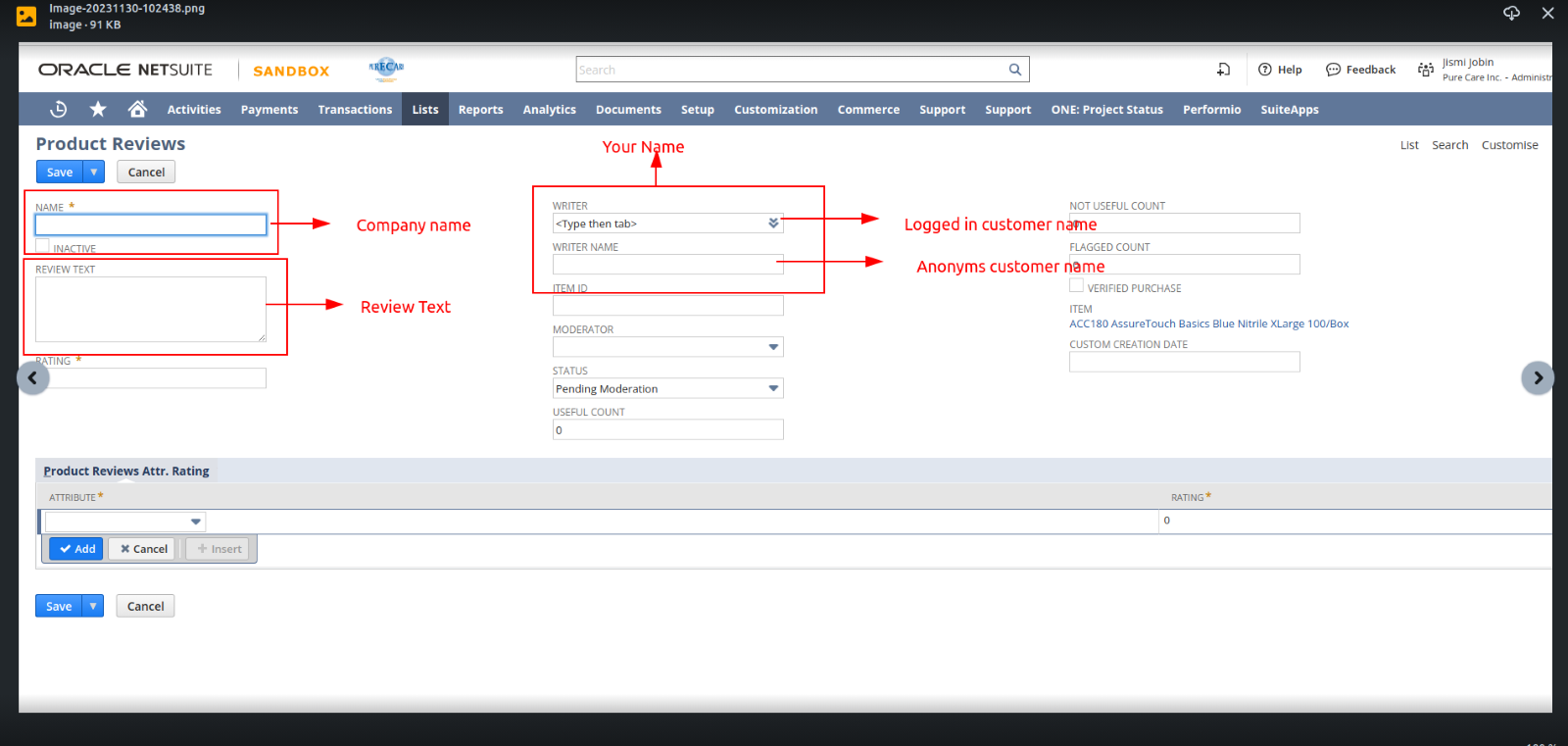
In netsuite item record record product review section . we need to update those fields first . As per website form fields name , I added that fields name screenshot below.
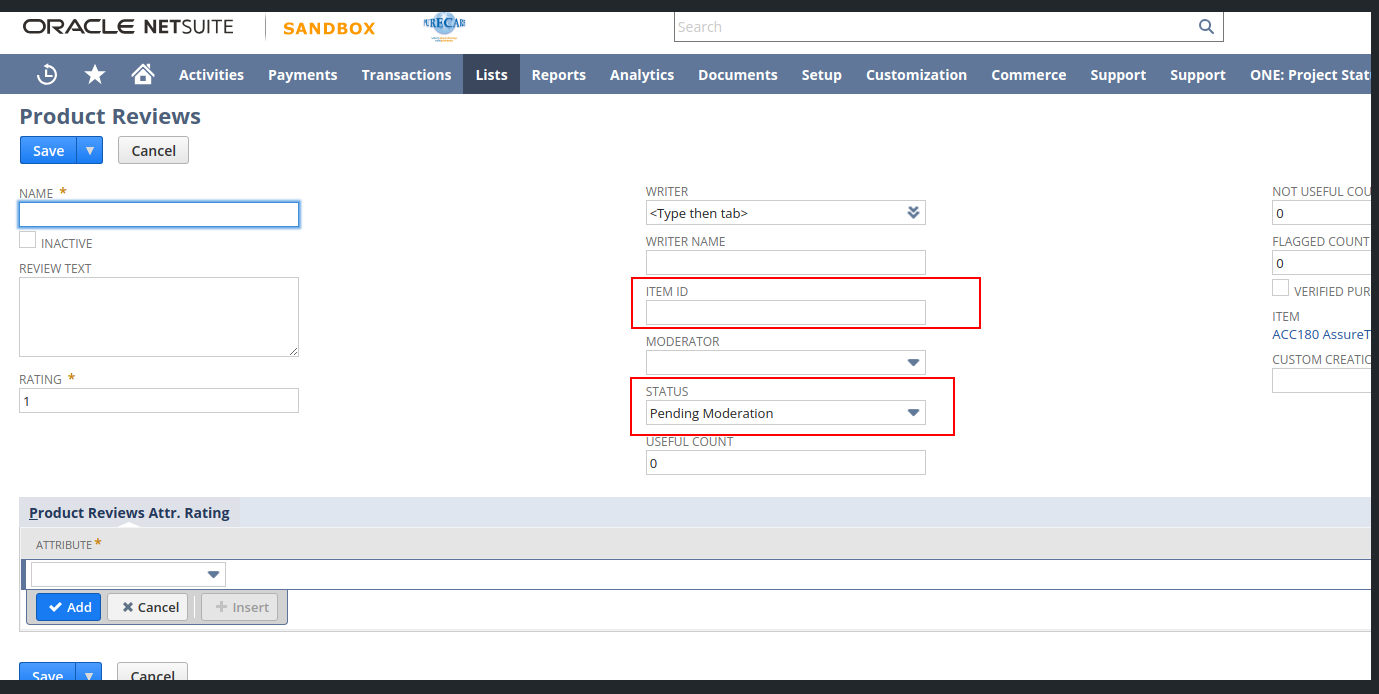
In webite we are updating review for item. So that item id need to update here. Before saving we need to approve the review then only those changes are reflect in the website. Those fields screenshot i added below.Please try this way update the record and check.
Note: From netsuite we are updating review rating whatever value given it will refelect in website. Maximum Star value that can be given from netsuite and website should be same. For that we need to add some script for that.Extend the view and add below code for getting correct review.
_.extend(ProductReviewsReviewView.prototype, {
template: jj_reviewlist_reviewtab_tpl,
getContext: _.wrap(ProductReviewsReviewView.prototype.getContext, function (fn) {
var originalRet = fn.apply(this, _.toArray(arguments).slice(1));
var singleRating = this.model.attributes.rating;
var maxRate=“5”;
if(singleRating>5){
singleRating=maxRate;
}
originalRet.singleRating=singleRating;
return originalRet;
}),
})