Each integrator.io connection has its own concurrency setting, which controls the maximum number of concurrent requests the connection can make. To view or edit your settings for a connection:
- Go to Connections, then expand the options under Actions.
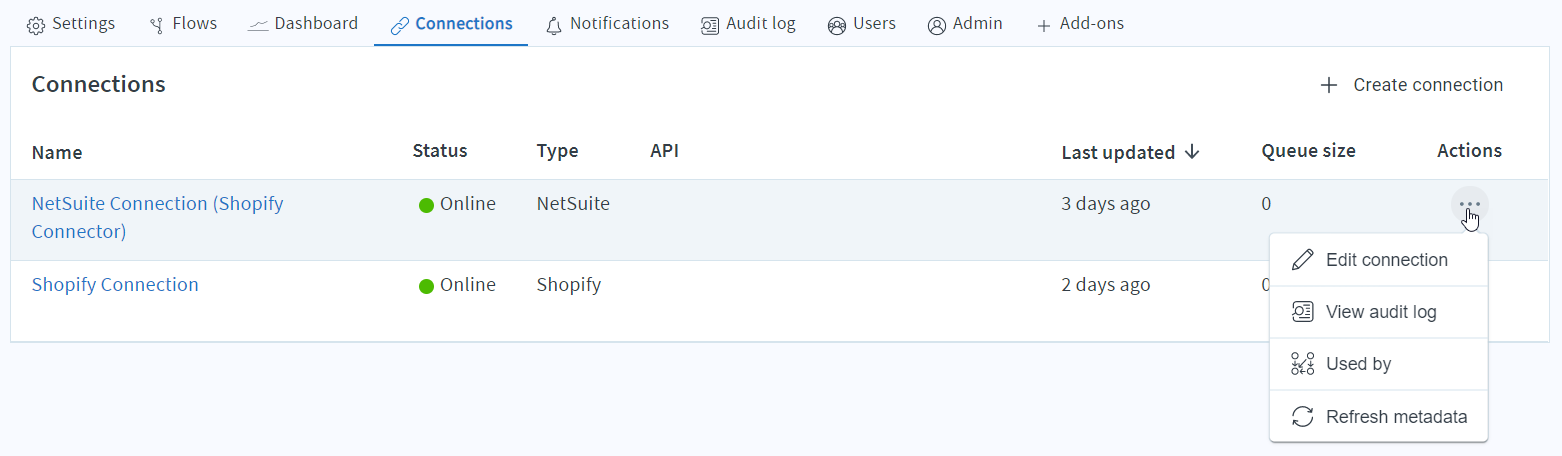
2. Select the Edit connection pane.
3. Modify the Concurrency level by using the drop-down list.
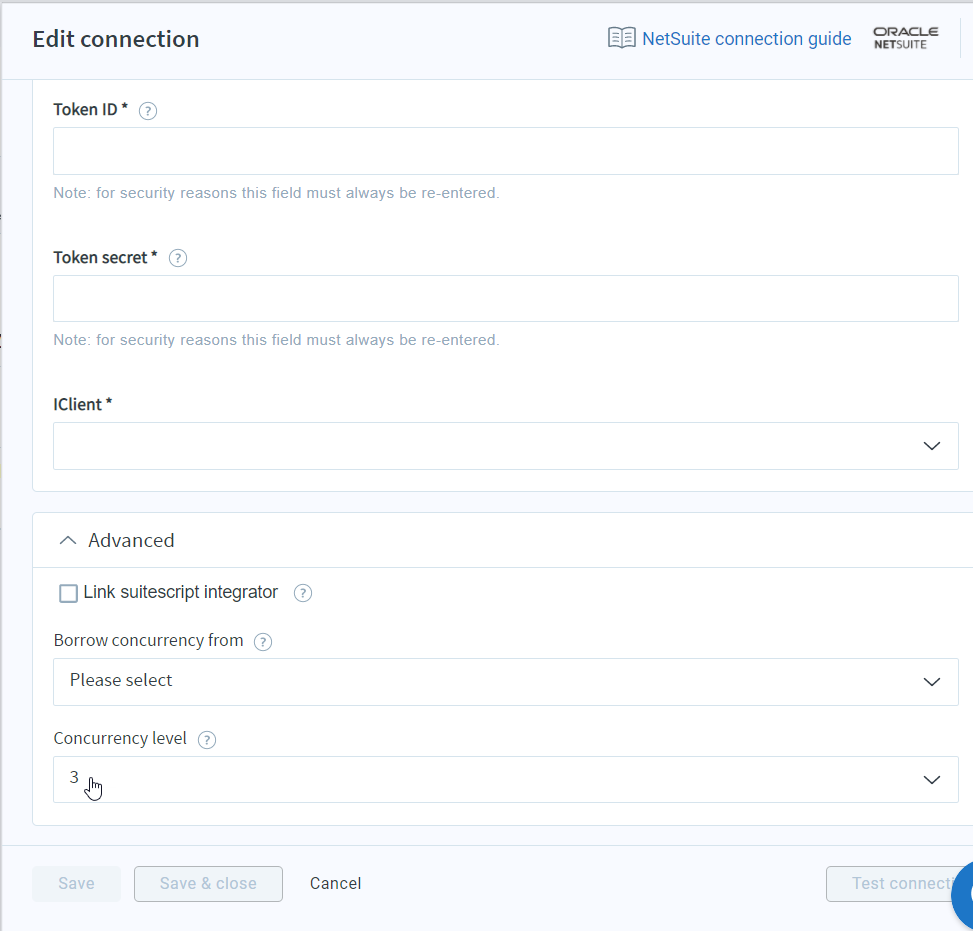
The concurrency level in integrator.io should match that in your NetSuite account.
TIP: If you need more throughput than 25 concurrent requests for a single connection resource, consider creating a second connection resource and partitioning your flows across different connections.
Considerations
If your NetSuite integration is running slowly, you can consider adjusting the concurrency level to allow multiple transactions to happen in parallel. However, since each integrator.io connection to NetSuite has its own concurrency setting, it is important to assess the maximum number of concurrent requests your integrations may make and compare that with your NetSuite limits. Exceeding the concurrency limit can result in disruption of your flows.
There may be additional platform applications that access your NetSuite account. Assign each the appropriate number of calls so that the total concurrency limit is not exceeded.